Basics
- Genre
- Casual
- Made by
- Aniway
- Devices
- Computer, phone, tablet
- Input
- Tap or click to fill an area; scroll images and palettes; undo and redo buttons; zoom for small areas
- Session
- One picture at a time
- Account
- No account needed on Poki
- Age fit
- General audiences; some picture categories (such as horror) may not suit younger players
- Updated
- October 2026
What happens in it
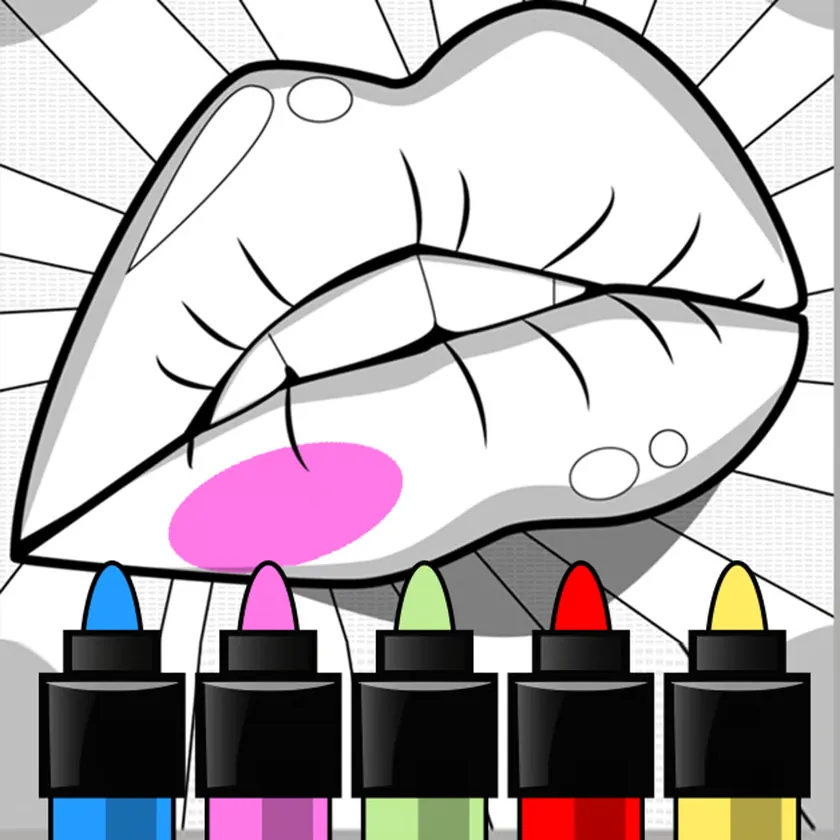
Anycolor works from pre-drawn pictures. The categories listed on Poki are animals, people, food, vehicles, abstract, horror and manga, and the list of pictures keeps being updated. You choose one and start filling it.
Filling is done with a tap or click on an area. You pick colours from palettes, and extra palettes unlock as you go. There is a fill tool and a brush, and the brush gets smaller when you zoom in, which is how small areas are handled.
Mistakes are cheap. Undo and redo buttons are provided, and you scroll through both images and palettes to find what you want. When the picture is done, filters and outlines are available as a finish, and the picture can be downloaded.
Aniway, a Finnish studio that also made Anycolor by Numbers, Anycolor Horoscopes and Koala Bros Bash, is the developer. Poki lists the release as June 2022 and the last update as October 2026.
A finished picture is the end point. After filters and outlines, the picture can be downloaded, which sets this game apart from colouring pages that only live in the browser tab. Since the controls are taps and clicks, nothing on the Poki page suggests that a stylus or tablet is needed; a mouse or a finger is enough. Scrolling through images and palettes is part of the workflow, so a first minute is usually spent browsing before anything is filled.
The pictures are also a moving target. The list keeps updating, so what is available now may differ from an earlier visit. Poki's category list, from animals and food to manga and horror, gives a fair idea of the range.
Inputs used
- Tap / click
- Fill an area
- Scroll
- Browse pictures and palettes
- Undo / redo buttons
- Step back or forward
- Zoom
- Reach small areas
Things worth knowing
Zoom in before filling small areas. The brush gets smaller as you zoom, which makes tight spaces manageable.
Use the fill tool for large areas and the brush for details.
Use undo and redo freely; they are there so that colour experiments cost nothing.
Browse several categories before choosing. They run from animals and food to abstract and manga.
Add filters and outlines last; they are the finishing step before downloading the picture.
Good for
People who like colouring and want a picture finished and saved without any drawing skill. The pictures are already drawn, so the only skill involved is choosing colours, and the undo and redo buttons make it forgiving for a first try. It is a better match for patient players than for anyone after quick results.
Drawbacks to know
The picture list includes a horror category, which not every player will want.
Poki is an ad-supported site, so ads can appear around a game; this site does not control them.
Some palettes unlock over time, so not every colour is available immediately.
Related games here
Where this game opens
The game itself runs on poki.com, a separate site. This link opens its page there in a new tab.
Questions
Can I download the finished picture?
Yes, downloading is listed as part of the game on Poki.
Is it free?
It is free to play on Poki.
Which picture types are there?
Animals, people, food, vehicles, abstract, horror and manga, and the list keeps updating.
Does it work on phones?
Yes. Computer, phone and tablet are listed.